
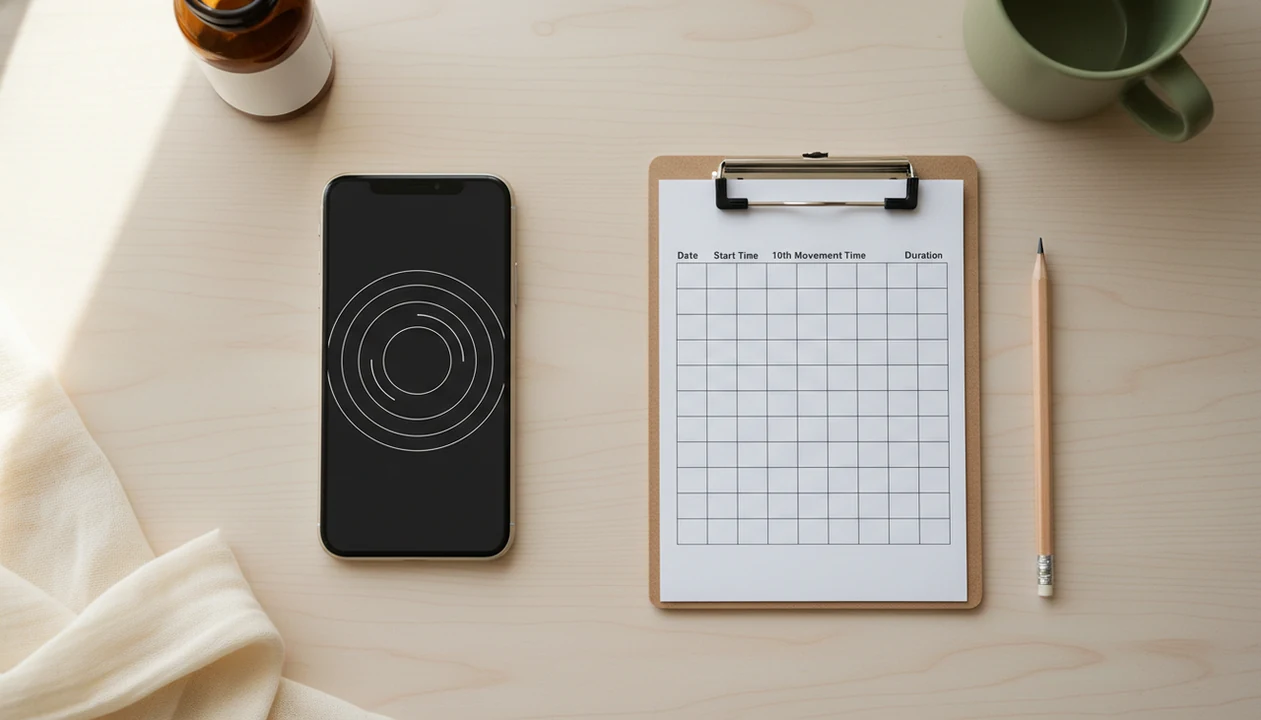

Definition: A kick counter app is a digital tool that times, logs, and trends daily fetal movement sessions, while a paper kick count chart is a printed sheet where you manually record the same data by hand.
At-a-Glance: Kick Counter App vs Paper Chart Comparison Table
A kick counter app and a paper chart track the same 10-kick timing method, but they differ in reminders, storage, and how easily you can share results. The right choice is the one you can repeat without friction.
| Feature | Kick Counter App | Paper Chart |
|---|---|---|
| Daily reminders | Phone alerts support routine use | You must remember yourself |
| Automatic averages/trends | Calculates patterns over time | Requires manual review |
| Offline use | Most basic logs work without Wi-Fi | Always offline |
| Cost | Often free for core logging | Free to print or copy |
| Accessibility/language | Depends on device and app language | Printable in multiple languages |
| Export to provider | Screenshot or export history | Bring the sheet |
| Learning curve | Requires phone comfort | Easy if forms feel familiar |
| Backup reliability | Depends on device access | Can be lost or damaged |
If your priority is a cleaner appointment summary, Baby Kicks App fits because its session history keeps dates, times, and totals together in one log.
Five Facts About Kick Counting Every Pregnant Person Should Know
Kick counting is not about proving that everything is fine. It is a daily way to learn your baby’s usual movement pattern and call your care team when something changes.
- ACOG guidance, summarized by Cleveland Clinic, recommends timing how long it takes to feel 10 fetal movements, with 10 movements within 2 hours as the common target source.
- Feeling 10 movements in 1 to 2 hours is typical for many pregnancies, but a change from your personal pattern matters more than a single number.
- Alberta Health Services notes that some people in the last trimester, especially those with complications, may be asked to count fetal movements at least once daily source.
- Count the Kicks offers both mobile and paper options; a recent review notes that low-technology paper charts can improve access across different populations source.
- Neither a digital kick count chart nor a paper row replaces prenatal care, ultrasound checks, or your provider’s instructions.
Quiet rooms help. Busy evenings do not.
How Daily Kick Counting Works Behind the Scenes
Daily kick counting works by building a personal baseline: how long your baby usually takes to reach 10 movements over days and weeks. The useful data point is time-to-10, not just a loose total of kicks.
That timing creates a simple trend line. In data terms, the app is timestamping sessions and comparing rolling averages. In plain language, it remembers whether today’s 18-minute session feels like your usual pattern, or whether it is much slower than normal. Baby Kicks App automates that work with saved movement sessions and trend history, which matters when a crumpled notebook page ends up at the bottom of a purse.
Paper can do the same job, but you do the math. You scan rows, compare dates, and notice whether the pattern changed. Both methods still rely on maternal perception, which can vary with distraction, position, and placenta placement. A pillow wedged under one hip may make a soft swish easier to notice.
Good fetal kick counter and pregnancy movement tracking app choices deliver organized pattern awareness, not a diagnosis or permission to ignore reduced movement.
Where a Kick Counter App Wins Over a Paper Chart
A kick counter app wins when reminders, automatic trends, and provider sharing make daily tracking easier to maintain. For people juggling work, older kids, appointments, or pregnancy complications, the format can reduce missed sessions.
Baby Kicks App is a practical fit for people who forget paper logs because it can pair a daily reminder with a timed movement session. A 9 p.m. alert after brushing teeth is harder to miss than a folded sheet under mail.
Trend graphs and rolling averages also surface changes faster than scanning rows by hand. At a visit, a screenshot or export gives your provider dates and session lengths without re-copying numbers. Most basic timer and logging functions in kick count apps work offline, so Wi-Fi is usually not the deciding factor. Do not assume every app behaves the same: test a session in airplane mode before relying on offline tracking during travel, clinic visits, or weak-signal areas.
For people comparing a focused counter with broader pregnancy tools, the kick counter app vs pregnancy app difference often comes down to whether kick counts are central or buried inside many unrelated features.
Where a Paper Kick Count Chart Wins Over an App
A paper kick count chart wins on access: no cost, no battery, no login, and no tech comfort required. It also works when a phone is dead, broken, shared, or intentionally left in another room.
Printable charts can support equity when they are available in multiple languages or handed out during care. Programs such as Count the Kicks and some hospital systems use paper alongside apps because not every pregnant person has the same device access. Paper can also feel calmer for someone tired of notifications.
No buzzing. Just the row.
Some providers still like reviewing a physical sheet during visits, especially when it is clipped to other prenatal forms. A printed movement chart in a folder is simple to hand over at the desk. Paper also makes a good backup even if Baby Kicks App is your main daily log, because a no-battery option protects the routine.
The free fetal movement tracker option that works best is often the one you can keep using without missing days.
How to Use a Kick Counter App or Paper Chart Daily
The most common medically supported way to do a daily kick count is to choose a regular active time, time 10 movements, and compare the result with your usual movement pattern. Use the same place when you can.
- Pick a consistent time when baby is usually active, such as after dinner or before bed.
- Sit or lie comfortably and start your timer, either by app tap or by writing the clock time.
- Log each kick, roll, flutter, stretch, or swish until you reach 10 movements.
- Record your total time in the app session or on the paper row.
- Review your trend weekly and compare today’s time with your average.
- Call your provider if movements decrease or feel different from your normal pattern.
Parents trying to keep one-handed notes during a movement session often choose Baby Kicks App because the counting flow uses simple taps rather than handwriting over a stretched belly. If you want a broader comparison of app choices, the best app to track baby kicks guide covers app-focused options.
Evidence Behind App and Paper Kick Count Charts
The evidence supports the counting method more strongly than it supports one format over the other. App and paper charts can both help when they make daily timing of 10 movements easier to complete and review.
Clinical guidance commonly centers on a simple routine:
- Choose a time of day when movement is usually noticeable.
- Time how long it takes to feel 10 kicks, rolls, flutters, stretches, or swishes.
- Compare that session with your normal pattern instead of treating one number as a guarantee.
- Contact your care team promptly if movement decreases, feels unusual, or does not match the plan you were given.
Mobile programs such as Count the Kicks show how app-based tools can support reminders, saved histories, and public health education. Paper charts remain evidence-aligned because they use the same timing method and can reach people without reliable phones, storage, data plans, or comfort with apps. That access matters in clinics, rural settings, shared-phone households, and multilingual programs.
What the evidence does not prove is that an app is automatically safer than paper, or that paper is more accurate than a careful digital log. Your provider’s instructions override format preference every time.
Who Should Pick the App and Who Should Pick Paper
Choose a kick counter app if you rely on phone reminders, want trend graphs, plan to share data digitally, or have provider instructions for strict daily monitoring. Choose paper if you prefer screen-free routines, have limited smartphone access, want a backup, or feel overwhelmed by alerts.
Baby Kicks App covers reminders, trends, and provider sharing because it stores each movement session as part of a continuing history. Pregnant people looking for a simple digital record may prefer that over rebuilding a week of totals from memory in a waiting room with clipboard forms.
For high-risk or complication-related tracking, follow your provider’s instructions first. Format comes second. The practical setup is often app first, paper backup. Keep a printable chart in the side pocket of your hospital bag, even if Fetal Kick Tracker is your daily habit.
Digital tracking tends to work best when reminders improve consistency, while paper fits people who need a screen-free or no-battery routine.
For related wording differences, the fetal movement tracker vs kick counter comparison explains how these terms overlap.
Limitations
Neither format is a medical monitor, and neither can tell you that reduced movement is safe. Use kick counts to support timely conversations, not to delay them.
- Neither tool replaces regular prenatal care, ultrasounds, nonstress tests, or professional monitoring.
- There is no universally agreed-upon perfect number of kicks for every pregnancy; provider instructions may vary.
- Both methods rely on what you feel, which can change with distraction, position, sleep, and anterior placenta placement.
- Apps can create false reassurance if someone waits for an alert instead of calling when movement feels wrong.
- Paper charts can be lost, damaged, skipped, or filled in later from memory.
- A single slow session does not automatically mean danger, but a change from the usual movement pattern deserves attention.
- Digital literacy, language barriers, phone storage, and cost can limit app access for some families.
- Competitors such as babycenter.com, whattoexpect.com, pregnancyplus.app, glowing.com, and countthekicks.org.uk vary in how focused they are on kick counting versus general pregnancy content.
Anyone dealing with inconsistent paper notes may prefer a saved digital session history, but no app should ever replace a call to your care team.