

Simple kick sessions
Tap each movement while a timer tracks your session and saves the count automatically.
Your trusted guide for third-trimester movement tracking.
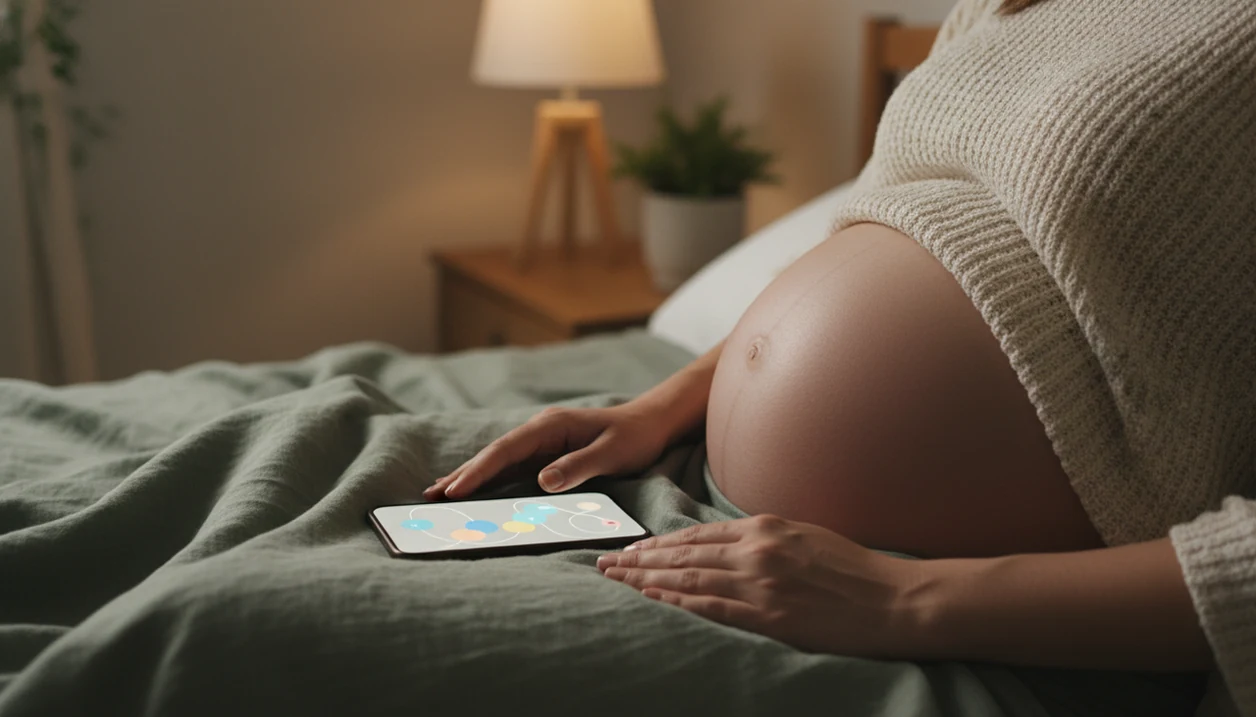
Tap each movement while a timer tracks your session and saves the count automatically.
Review your personal baseline so subtle changes stand out over days and weeks.
Export session history for prenatal visits instead of relying on loose notes.
If movement feels reduced or unusual, contact your provider right away. Baby Kicks App helps organize observations; it does not rule out concern or replace clinical assessment.
> Definition: Baby Kicks App is a baby kick counter app that helps pregnant people count kicks, track movement patterns, and know when to call their provider.
A baby kick counter app helps you record fetal movements during a timed movement session, usually in the third trimester. The app focuses on the common “time to 10” method, where you count how long it takes to feel 10 kicks, rolls, swishes, stretches, or jabs.
Many providers recommend starting daily kick counts around 28 weeks, or earlier if a high-risk pregnancy needs closer attention. The American College of Obstetricians and Gynecologists describes kick counting as one way to monitor fetal movement in later pregnancy source. The 10-movement method is widely used because it gives you a repeatable routine, not just a vague memory of “less active today.”
A quiet bedroom with a dim lamp is enough.
The app supplements prenatal care; it does not replace appointments, testing, or provider instructions. If you want the full counting method before starting, the step-by-step guide on how to count baby kicks explains what counts and what does not.
Clinicians typically suggest structured kick counting because it turns a feeling into a dated observation. It is still a conversation starter, not a diagnosis. If a pattern feels off, write down what changed and call your care team.
Baby Kicks App turns a daily kick count into a simple log: tap once for each kick, roll, swish, or jab, then let the timer record how long the session took. The date-stamped history keeps the record cleaner than a crumpled notebook page at the bottom of a purse.
After several days, the app shows a pattern graph of your personal baseline time-to-10. That view helps you notice whether today’s session looks typical, slower, or unusual for your baby. A daily reminder can keep the routine anchored, such as a 9 p.m. alert after brushing teeth.
Anyone dealing with forgotten paper logs fits this workflow because automatic session timing, saved dates, and pattern graphs keep the count in one place. A focused fetal kick tracker should make the routine easier to repeat, keep the log organized, and avoid implying that a normal-looking count proves everything is fine.
Baby Kicks App keeps the focus narrow: daily movement sessions, baseline tracking, and when-to-call guidance. It is different from broader pregnancy apps such as BabyCenter, What to Expect, Glow, or Pregnancy+ because it does not bury kick counts under week-by-week content.
For pregnant people comparing tools, this focused workflow earns the spot because it handles kick count sessions, reminders, and provider-ready logs in one place. The broader kick count charts and logs guide covers paper and printable options too.
A good baby kick counter app makes daily counting fast, consistent, and easy to explain to your provider. It should help you learn your baby’s usual movement pattern without pretending to diagnose fetal wellbeing.
During a timed session, one-tap counting matters because you are already listening closely to your body. The app should let you tap for each kick, roll, swish, or jab without digging through menus, restarting timers, or wondering whether the count saved. After several days, baseline graphs become more useful than generic averages because they show your baby’s own time-to-10 pattern.
Use this checklist when comparing focused kick count tools with broader pregnancy apps like BabyCenter, What to Expect, Glow, or Pregnancy+:
A fetal movement tracker works by converting each tap into a timestamped movement event, then calculating how long it takes to reach 10 movements in that session. The app uses those time-to-10 records to build a rolling baseline from recent sessions.
The useful term here is “baseline comparison.” In plain language, it means today’s count is compared with your own recent pattern, not with a stranger’s pregnancy. If today takes much longer than your usual average, when-to-call logic can prompt you to contact your provider.
The app is not interpreting the cause of a slower session. It is only preserving the timing pattern so you can explain the change clearly when you call your care team.
Not every slower session means trouble. Fetal sleep-wake cycles, time of day, and placenta position can change what you feel. Tiny pops below the belly button may be obvious one night and muted the next. Pattern awareness usually depends more on consistent daily timing than on one isolated session.
Use a kick count app at the same time each day, in a position where you usually notice movement. The graph works best after a few days of consistent sessions because it needs repeated counts to show a useful baseline.
If the priority is a repeatable bedtime routine, the app fits because reminders and timed sessions support the same-time, same-place habit. For a calmer evening setup, use the bedtime kick count routine as a companion.
Baby Kicks App is built for pregnant people in the third trimester, especially around 28 weeks and beyond, who want a structured daily kick count routine. It also fits high-risk pregnancies when a clinician recommends starting earlier, including some multiple pregnancies or pregnancies needing closer movement awareness.
First-time parents often use the app to learn what normal movement feels like: flutters, rolls, jabs, and stretches. Support partners can help too. Sometimes that looks like a shared glance after the tenth tap, then a saved session instead of a guess.
For people who need provider-ready movement history, the app covers daily counts through session logs and exportable summaries. If your provider has already discussed extra monitoring, the kick counter for high-risk pregnancy page explains how to follow their start week.
We review baby kick counter apps by asking whether they make daily movement tracking clearer, safer, and easier to discuss with a clinician. The strongest recommendations go to tools that support a repeatable routine without making diagnostic promises.
Our review of Baby Kicks App is a self-review, not an independent lab evaluation. To keep the recommendation useful, we compare the app’s language and features against common obstetric guidance on fetal movement awareness, including when a user should stop tracking and call their provider.
This is a tracking aid, not a medical device. Kick counting can support earlier conversations with a care team, but large studies show mixed impact on outcomes; a Norway trial found stillbirths decreased from 4.2 to 2.4 per 1,000 births after a movement-awareness intervention, but that does not prove every app prevents stillbirth source.
Call first. Count second, if instructed.
For urgent changes, the safest next step is covered in when to call doctor reduced fetal movement.
Many providers recommend daily kick counts around 28 weeks. High-risk pregnancies may be told to start earlier, so follow your clinician’s instructions.
No, hiccups are usually not counted in a kick count session. Count distinct movements such as kicks, rolls, swishes, stretches, or jabs.
Baby Kicks App offers a free version for basic kick counting. Premium options, if available, may add expanded history, reminders, or export features.
Many pregnancies reach 10 movements in about 1 hour, though up to 2 hours may still be within common guidance. Your personal baseline matters most.
No, Baby Kicks App tracks movement patterns but cannot diagnose fetal distress. Only a provider can assess fetal wellbeing through clinical evaluation.
Fetal sleep-wake cycles can make movement quieter during a session. Try a position change or snack, but call your provider if movement remains reduced or unusual.
High-risk pregnancies may benefit from structured daily tracking when a provider recommends it. Use Baby Kicks App according to the start week and instructions your care team gives.
Yes, Baby Kicks App lets you show or export session logs for prenatal visits. A dated movement history can make provider conversations more specific.
Baby Kicks App is a baby kick counter app that lets you tap each movement, time how long it takes to reach 10 kicks, and build a visual record of your baby's daily pattern, so you…