
Fetal Movement Tracker vs Kick Counter: What Is the Difference?
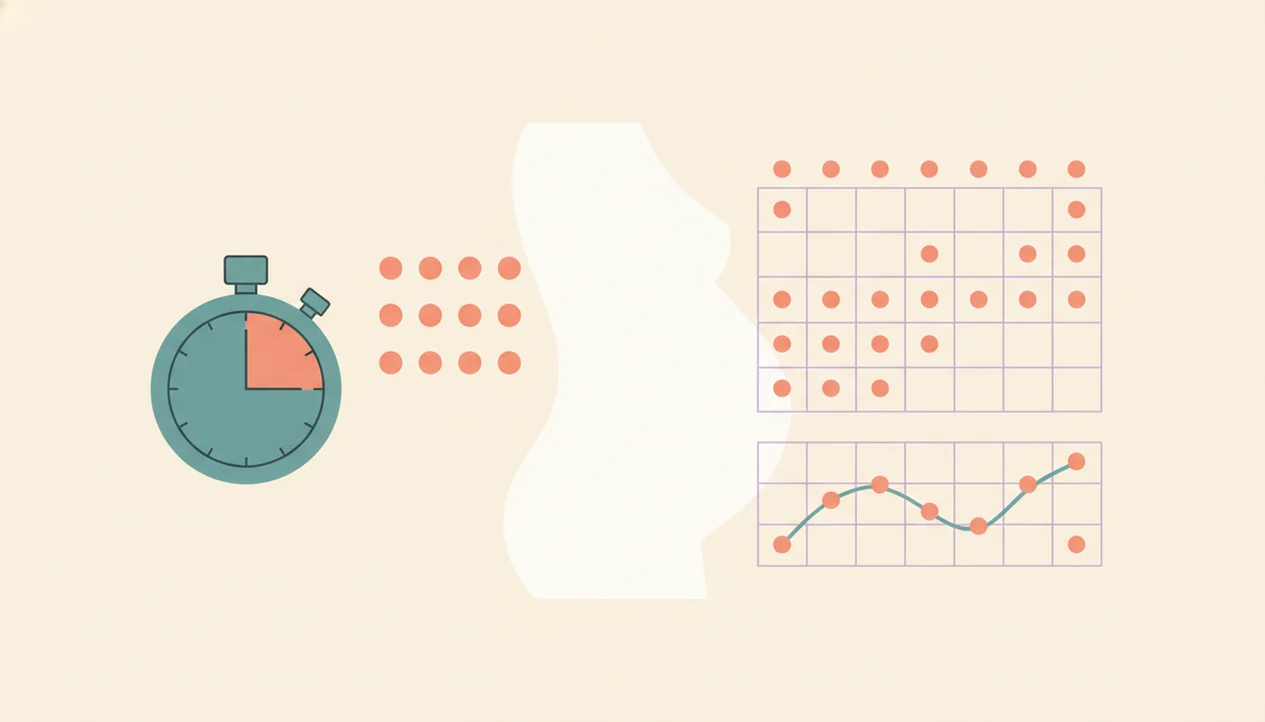
A fetal movement tracker vs kick counter difference is mainly scope: a kick counter measures one counting session, while a movement tracker stores repeated sessions so you can see your baby’s usual pattern over time. Many apps combine both, but the safest use is to track patterns and call your provider whenever movement changes or feels concerning.
Definition: A baby kick counter app helps pregnant people count fetal movements, save sessions, compare patterns, and prepare clear notes for a provider conversation.
- A kick counter usually times how long it takes to feel a set number of movements, often 10.
- A fetal movement tracker adds history, reminders, charts, notes, and day-to-day pattern comparison.
- Neither tool diagnoses problems; any noticeable movement change should be discussed with your healthcare provider.
Fetal movement tracker vs kick counter, side by side
Side-by-side captures of the compared products. Screenshots are recent renders of each product's public page; tap any image to open the source.

Fetal Movement Tracker vs Kick Counter At a Glance
A kick counter is usually a single-session count or timer. A fetal movement tracker stores many sessions so you can compare today’s movement with your baby’s usual pattern.
| Feature | Simple kick counter | Fetal movement tracker |
|---|---|---|
| Main job | Count or time one movement session | Save repeated sessions over days or weeks |
| Data captured | Start time, end time, movement count | Count, time, notes, charts, reminders, movement type |
| Best question answered | “How long did 10 movements take today?” | “Is today different from the usual pattern?” |
| Provider sharing | One result at a time | A clearer history for appointments or triage |
| Safety limit | Does not diagnose problems | Does not replace provider guidance |
Many pregnancy apps include both features. A good fetal kick counter and pregnancy movement tracking app for third-trimester monitoring gives organized movement history, not permission to ignore a concern.
Kick Counter Meaning in Third-Trimester Monitoring
Kick counter meaning: a kick counter is a tool used to count fetal movements during one focused session, usually in the third trimester.
In practice, “kicks” means more than sharp kicks. Rolls, jabs, swishes, stretches, and flutters usually count as movement. Fetal hiccups are usually not counted because they can be rhythmic and involuntary, not the same kind of active movement.
Cleveland Clinic describes ACOG-related guidance that a healthy baby should generally reach 10 movements within 2 hours during a structured kick count source. Clinicians typically suggest paying attention to change from your baby’s normal pattern, not treating one number as a full safety check.
The folded handout in the hospital bag still matters. A phone-based log can make that same routine easier to keep because saved sessions store the time-to-count result instead of leaving it on loose paper.
How Fetal Movement Tracker Apps Work
Fetal movement tracker apps work by turning repeated movement sessions into a dated history. You start a session, tap when you feel movement, save the time-to-count, and review the stored pattern later.
The useful part is not a sensor reading. A movement-tracking app does not measure the baby directly; it depends on what you feel and record. Over days and weeks, that self-reported data can show pattern recognition, meaning the app helps you notice whether today’s session looks different from your usual logs. Plainly: it helps you compare one evening with many other evenings.
After dinner, when the phone timer is already open on the couch, Baby Kicks App fits people who want one-handed taps over the belly and a saved movement session instead of a crumpled notebook page at the bottom of a purse.
Charts, reminders, notes, and exportable summaries are most useful when they support a provider conversation. They should not talk you out of calling.
Five Facts About Movement Tracker vs Kick App Choices
- A kick counter answers what happened in one focused session, such as how long it took to feel 10 movements.
- A fetal movement tracker answers how today compares with previous days, especially when sessions happen at the same time.
- Normal movement is individual to the baby; the usual movement pattern matters more than a universal number alone.
- Most low-risk pregnancies are told to begin daily tracking around 28 weeks, often at a time when the baby is active.
- High-risk pregnancies may be advised to start earlier, around 26 weeks, based on the provider’s instructions.
Because start-week guidance varies by risk level and care setting, follow your clinician’s instructions; Count the Kicks recommends daily counting from 28 weeks, or 26 weeks for high-risk pregnancies source.
Apps support monitoring, but they do not replace prenatal care. Public health programs such as Count the Kicks have treated fetal movement education as a standardized way to improve awareness, including statewide implementation described in a peer-reviewed report source.
For readers comparing Baby Kicks App with public education programs, the Count the Kicks vs baby kick counter app guide explains the difference in workflow.
Evidence Behind Fetal Movement Monitoring
The evidence supports fetal movement awareness as a safety habit, not app-based fetal assessment. Counting can help you notice and describe a change, but it cannot diagnose whether the baby is well.
ACOG-style guidance is usually framed around a structured kick count, often watching for about 10 movements within a set window and paying attention to your baby’s normal pattern. The important part is the response to change: NHS-style maternity guidance is clear that reduced or changed movements should prompt urgent contact with a midwife, maternity unit, or care team, not a wait-and-see approach until tomorrow.
A practical routine looks like this:
- Choose a time when your baby is usually active.
- Count movements in a focused session, using your provider’s target.
- Compare the session with your usual pattern, not with another person’s baby.
- Call promptly if movement is reduced, unusual, or worrying.
Count the Kicks is best understood as an education program that standardizes daily movement awareness and teaches families when to seek help. That is different from proving that a commercial app can assess fetal health. Research is still limited on individual fetal movement apps, especially their validation, alert accuracy, anxiety effects, and outcomes across different pregnancy risk groups.
Fetal Movement Tracker Use Cases for Daily Pattern History
When is a fetal movement tracker more useful than a simple kick counter? It is most useful when you want daily pattern history, not just one session result.
A tracker helps show trends in time of day, time to 10 movements, notes, and any unusual context. Maybe the baby usually moves fast around 9 p.m. after brushing teeth, but one night the session feels slower and quieter. That comparison is the point.
Pregnant people looking for a clearer story before calling triage can use saved sessions because they keep dates, times, and notes in one place. An exported log before a prenatal visit is easier to discuss than “I think Tuesday was different.”
More data can settle some minds. It can also make some people check too often. For daily history comparisons, our best fetal movement tracker app guide covers features that matter beyond a basic timer.
Simple Kick Counter Use Cases for Focused Sessions
A simple kick counter is often the better fit when you only need a focused daily count. It works well for people following provider instructions that ask for a start time, end time, and number of movements.
Simple does not mean less valid. If your provider asks for one daily session and you can record it consistently, a basic counter can support that routine without adding extra charts. Some users prefer that because it lowers the urge to inspect every small fluctuation.
Anyone dealing with data overload may prefer using only a timed-session flow and ignoring deeper trend review unless their provider asks for it.
The practical advantage is simple: if your phone is already in your pocket at work, in bed, or on the couch, you are less likely to lose the session record.
If the main question is whether to use paper or phone logging, the kick counter app vs paper chart comparison covers the lost-log problem in more detail.
How to Use a Kick Counter or Fetal Movement Tracker
The safest way to use a kick counter or fetal movement tracker is to follow the same routine daily and call your provider for decreased, unusual, or concerning movement. The tool organizes what you notice; it does not decide whether your baby is okay.
1. Set a consistent daily time
- Choose a time when your baby is usually active, often after a meal or in the evening.
- Sit or lie on your side and reduce distractions for one focused movement session.
2. Log movements during one focused session
- Tap or mark each movement you feel, including rolls, jabs, swishes, stretches, and flutters, but not hiccups.
- Stop the session when you reach the target count or when your provider’s time window ends.
3. Review your saved movement pattern
- Compare the result with prior sessions without ignoring your instinct.
4. Call your provider for changes
- Call your care team for decreased movement, unusual movement, or any concern that something feels wrong.
When to Call Your Provider About Fetal Movement
Call your provider right away if fetal movement is decreased, has stopped, feels unusual for your baby, or simply worries you. Do not wait for an app chart, another kick count, or the next scheduled appointment to make the decision for you.
If you also have severe abdominal pain, vaginal bleeding, fluid leaking, contractions that feel urgent, dizziness, fever, or any symptom that feels serious, treat that as an immediate reason to contact your maternity unit, triage line, or emergency care according to your provider’s instructions.
- Call the number your care team gave you, even if the log is incomplete.
- Describe what changed: fewer movements, no movements, slower time to count, or movement that feels different from your usual pattern.
- Share the log details you have, including the date, start time, end time, count reached, body position, and any notes such as meals, activity, or symptoms.
- Follow the instructions you are given, including going in for monitoring if asked.
- Prioritize your provider’s advice over any general article, app reminder, chart, or saved trend.
Movement Tracker vs Kick App Decision Guide
Choose a kick counter if you want a simple daily session timer. Choose a fetal movement tracker if you want charts, history, reminders, and notes that make patterns easier to describe.
Either option can work if your provider only asks for daily kick counting and you can share the result clearly. Ask your provider which method fits your pregnancy risk level, especially if you have reduced movement concerns, an anterior placenta, twins, or high-risk monitoring instructions.
For people who need a combined approach, choose a tool that supports both timed kick count sessions and saved movement history. The movement tracker vs kick app decision usually depends more on how clearly you can repeat and share the routine than on the label on the app.
If you are comparing focused kick tools with broader pregnancy platforms like BabyCenter, What to Expect, Glow, or Pregnancy+, the kick counter app vs pregnancy app guide may help narrow the choice.
Limitations
Fetal movement tools are supportive logs, not diagnostic tests. Baby Kicks App can organize a daily kick count routine, but it cannot confirm fetal well-being or rule out a problem.
- They cannot guarantee prevention of stillbirth or other complications. - They do not replace ultrasounds, nonstress tests, prenatal visits, or clinical evaluation. - App numbers can falsely reassure someone who already feels something is wrong. The NHS advises calling a midwife or maternity unit immediately for reduced or changed fetal movements and not waiting until the next day source. - Normal movement varies by baby, placenta position, gestational age, medication, hydration, and maternal factors. - Some users find tracking calming, but others feel more anxious with charts and streaks. - Not all apps are clinically validated or aligned with evidence-based protocols. - Busy workdays, an anterior placenta, and higher BMI can make movement perception harder. - A phone log is only as accurate as the session you actually record.
If tracking starts to feel compulsive, ask your provider what minimum routine is enough.
FAQ
What is a kick counter?
A kick counter is a tool for counting or timing fetal movements during one focused session. It usually records how long it takes to reach a target number of movements.
What is a fetal movement tracker?
A fetal movement tracker stores repeated movement logs so you can see patterns over time. It may include reminders, notes, charts, and history.
Do rolls count as kicks?
Yes, rolls, swishes, jabs, stretches, and flutters usually count as fetal movements. Follow your provider’s instructions if they define movement differently.
Do hiccups count as kicks?
Fetal hiccups are usually not counted during kick count sessions. They tend to feel rhythmic and different from active movement.
When should I start kick counting?
Many low-risk pregnancies start around 28 weeks. High-risk pregnancies may be told to start earlier, often around 26 weeks, based on provider guidance.
How many kicks are normal?
A common benchmark is 10 movements within 2 hours during a structured session. Your baby’s usual movement pattern is also important.
Can kick counter apps replace prenatal care?
No, kick counter apps cannot replace prenatal visits, testing, ultrasounds, or provider evaluation. They are only logging tools.
When should I call my provider about fetal movement?
Call your provider for decreased movement, unusual changes, or any concern that something feels wrong. Do not wait for an app to confirm the concern.