
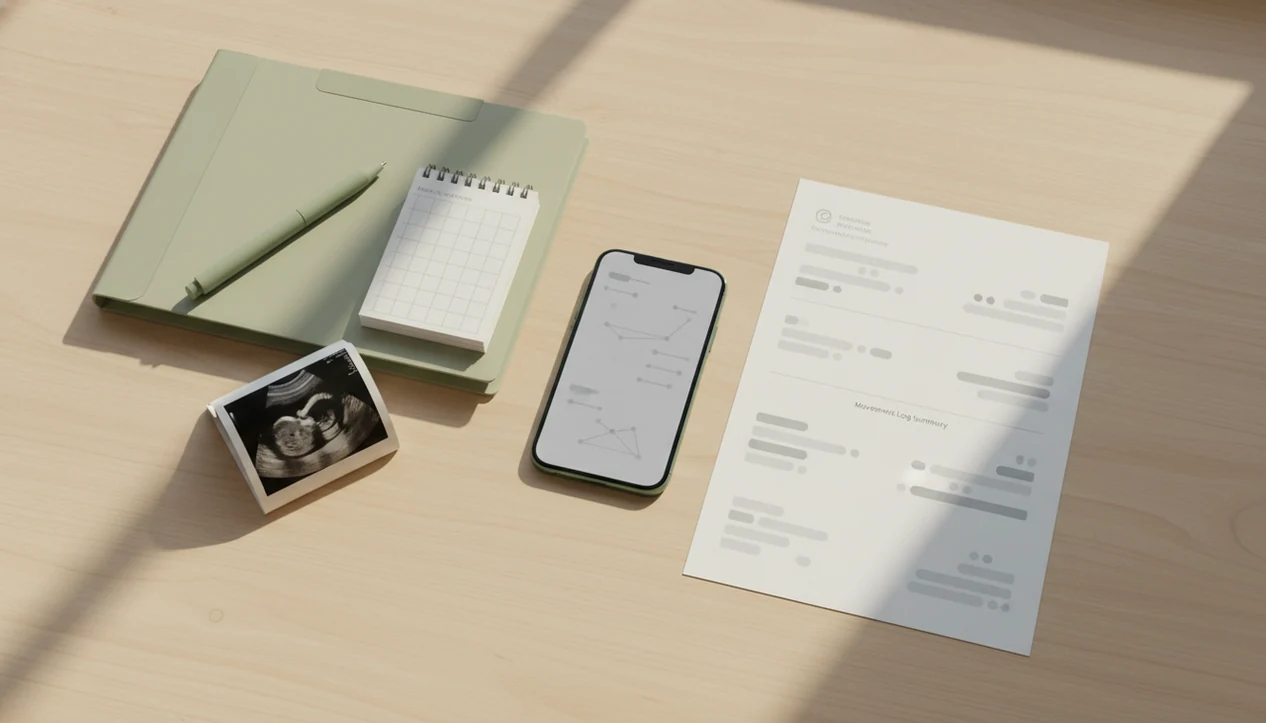

> Definition: Exporting fetal movement logs means generating a shareable record of daily kick-count sessions from a tracking app so a provider can review movement timing, frequency, and patterns during prenatal care.
- Tap export in Baby Kicks App to send a formatted movement log via email or text before your next appointment.
- Providers use exported logs to spot multi-day trends, not to diagnose. Clinical evaluation is still required for any concern.
- Structured logs reduce dismissive responses by turning subjective worry into documented data your care team can act on.
At a Glance: What Exported Kick Count Logs Include
Exported kick count logs give your provider a dated, timed record of movement sessions, usually centered on how long it took to feel 10 movements. That structure matters when “the baby felt quieter” is hard to explain in an exam room with paper crinkling underneath.
Five facts:
- Each exported Baby Kicks App session includes the session date, start time, end time, and duration to reach 10 kicks.
- Notes can capture context like lying position, meal timing, low pelvic wiggles, or a concern flag.
- Exports may appear as an email body or PDF-style summary, depending on how you share them.
- In a large international survey, 55% of mothers said health professionals dismissed concerns about decreased fetal movement source.
- A structured export gives your care team a timeline, not just a memory from a stressful morning.
If you want a broader paper-and-digital overview, our guide to kick count charts and logs explains the common formats.
How Exporting Fetal Movement Logs Works
Exporting fetal movement logs works by turning each movement session into a timestamped record, then compiling those records into a chronological summary. Baby Kicks App stores the tap count, elapsed time, and session notes so the export can show what happened across days, not just during one anxious hour.
The underlying method is simple: standardized count-to-ten tracking. In plain language, you count how long it takes to feel 10 rolls, jabs, swishes, stretches, or flutters. The Fetal Kick Tracker then groups sessions by day and formats them for quick review.
No raw data dump. No mystery columns.
Baby Kicks App is a practical fit when the provider needs a clean prenatal summary because the export uses a recognizable count-to-ten workflow instead of an unlabeled screen capture. Your provider still interprets the log alongside gestational age, risk factors, symptoms, and any testing they order.
How to Export and Send Movement Logs to Your Doctor
To send movement logs to your doctor, open your history, choose the date range, and share the export before or during the visit. Baby Kicks App keeps the workflow short because many people export while sitting in a parked car before an appointment.
- Open the history or log screen in Baby Kicks App.
- Tap the export or share button.
- Choose a date range covering your recent movement sessions.
- Select email, text, or save to files.
- Send the summary to your provider before the appointment, during a telehealth visit, or while preparing for a triage call.
When the issue is a quick call about changed movement, the export handles the ‘what changed and when’ part with a dated summary. That is easier than searching for a crumpled notebook page at the bottom of a purse.
For a doctor-specific sharing workflow, use our share kick logs with doctor guide.
When to Export Kick Count Logs During the Third Trimester
Export kick count logs before routine prenatal appointments, before telehealth visits, and any time you notice a change from your baby’s usual movement pattern. ACOG notes that many stillbirths are preceded by perceived reduced fetal movement and recommends contacting a provider promptly if movement decreases source.
Clinicians typically suggest calling your care team for reduced movement rather than waiting for the next scheduled visit. The most common medically supported way to use kick counts is a consistent daily movement session combined with prompt reporting when movement feels reduced or unusual.
Export before a routine visit if you want proactive review. Export before telehealth so the on-call provider can scan recent patterns. Export before a triage call if you’ve noticed a multi-day drop.
On days movement takes longer than usual, Baby Kicks App fits because recent sessions can be exported from the same count-to-ten history your provider already understands. A randomized trial of more than 400 women found count-to-ten charts led to earlier reporting of decreased movement than routine care source.
What Exported Movement Logs Look Like in Baby Kicks App
Exported movement logs in Baby Kicks App use a chronological, day-by-day layout. Each row shows the date, time started, minutes to 10 kicks, and any user notes entered during the session.
A provider can scan for trend lines, such as three evenings in a row taking longer than usual. The format is meant for review, not decoration. Some general pregnancy apps from sites like babycenter.com or whattoexpect.com focus on broader pregnancy content, but a movement export needs less clutter and more timing detail.
Anyone dealing with appointment nerves can use a clean movement export because it turns one-handed taps over belly into a readable provider summary. Good fetal kick counter and pregnancy movement tracking apps for third-trimester monitoring deliver organized pattern awareness, not a promise that everything is fine.
Exported Logs as a Provider Conversation Tool, Not a Diagnosis
Exported logs help turn subjective worry into documented trends your provider can act on, but they do not diagnose fetal distress. Your care team may use the log alongside a nonstress test, ultrasound, clinical history, blood pressure, symptoms, and gestational age.
High counts are not always automatically reassuring. Excessive, frantic, or sharply different movement can also be worth discussing. Call your care team if your gut says something changed, even when the export looks ordinary.
The AFFIRM trial, covering more than 400,000 pregnancies in the UK and Ireland, tested fetal movement awareness and standardized management but did not find a statistically significant reduction in stillbirth rates overall. That matters. Logs can improve the conversation, however they should never become a reason to delay care.
For people comparing safety concerns, we explain the boundaries in are kick counter apps safe.
Export Fetal Movement Logs vs Other Sharing Methods
App-based export is usually clearer than verbal recall, screenshots, or loose paper notes because it preserves dates, times, duration, and context in one shareable summary. Providers often prefer a clear timeline and standardized count-to-ten format.
| Sharing method | What works | Main drawback |
|---|---|---|
| Verbal recall | Fast during an appointment | Memory gaps hide day-to-day trends |
| Paper kick-count charts | Familiar and standardized | Easy to lose, hard to share remotely |
| Screenshots | Quick from a phone | Cluttered, incomplete, often missing notes |
| App export | Timestamped, note-enriched, shareable | Still needs provider interpretation |
For many third-trimester patients, exporting a digital log is easier than a printable chart because the summary is ready to email during a TV pause or before a telehealth link opens. If your provider prefers paper, a printable kick count chart can still be useful.
Related Baby Kicks App Features for Third-Trimester Tracking
Baby Kicks App supports exported logs with features that make the record more useful before it ever leaves your phone.
- Daily kick count timer: Start a movement session and count toward 10 movements with a simple timer.
- Movement pattern history: Review previous sessions so changes are easier to notice.
- Session notes: Add context like position, meals, symptoms, or “felt different today.”
- Reminder notifications: Set a consistent daily kick count routine, such as a 9 p.m. alert after brushing teeth.
If consistency is the main problem, the daily kick count log guide explains how same-time tracking makes exports easier to read.
Limitations
Exported fetal movement logs are helpful, but they have limits that should stay visible.
- Logs depend on consistent user input. Missed days create gaps.
- Baby Kicks App cannot replace an in-person assessment, nonstress test, ultrasound, or your provider’s instructions.
- Clinical evidence is mixed on whether formal counting alone reduces stillbirth.
- Counting at irregular times can make a pattern look more dramatic or less clear than it is.
- Phone sharing between family members can add sessions that do not reflect one person’s routine.
- A normal-looking log does not rule out fetal compromise.
- Providers may interpret the same log differently based on risk factors, gestational age, symptoms, and training.
- Export does not automatically integrate into electronic health records.
The folded kick count handout in a hospital bag still has a place. Digital exports just make the record easier to find.