
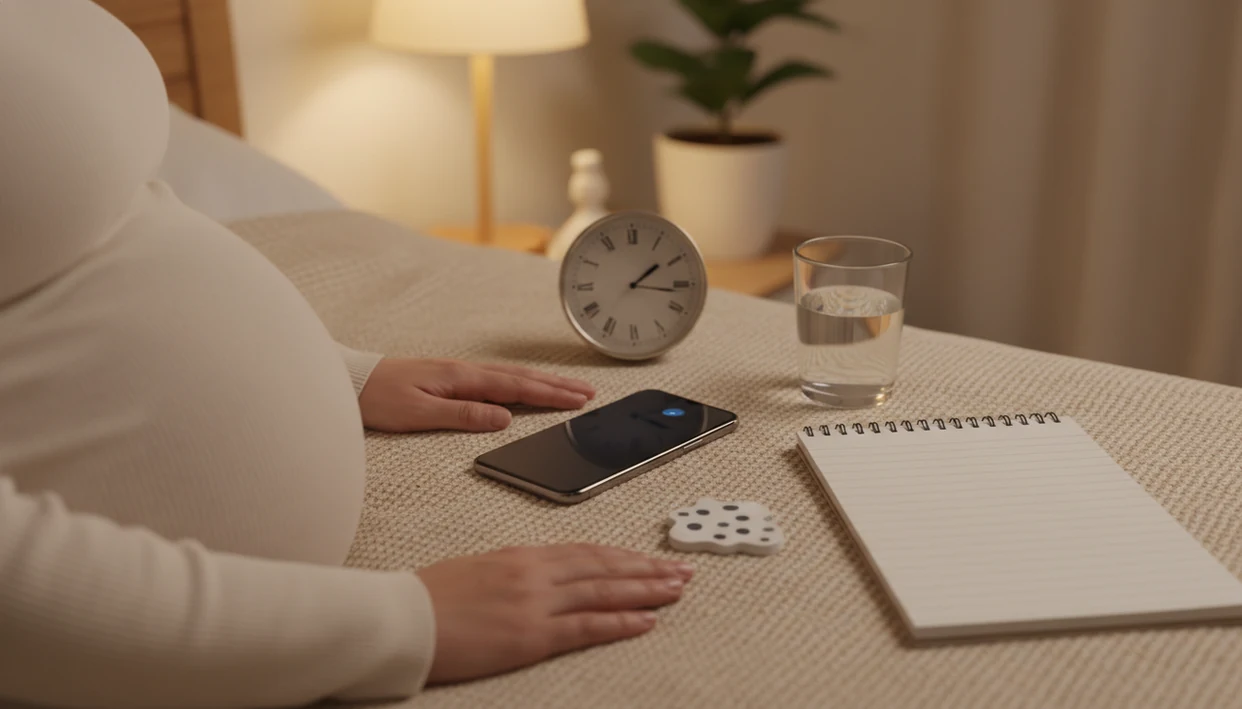

Definition: A daily kick count reminder is a scheduled phone notification that prompts a pregnant person to begin a fetal movement counting session at a consistent time, without providing any medical assessment itself.
- Reminders are a prompt, not a diagnosis—the safety check is the count itself.
- Set your reminder for the time your baby is usually most active, starting around 28 weeks.
- If movements decrease or stop, contact your provider immediately instead of waiting for the next reminder.
At a Glance: What Daily Kick Count Reminders Do and Don't Do
- Daily kick count reminders only prompt a movement session; they do not measure the baby, detect distress, or replace clinical care.
- Formal kick counting often starts around 28 weeks, though your provider may give earlier or different instructions.
- A fetal movement can be a kick, roll, swish, stretch, flutter, or jab. It does not have to feel sharp.
- A commonly referenced ACOG target is 10 fetal movements within 2 hours, as summarized by Cleveland Clinic source.
- Provider instructions override any app default, including reminder time, counting position, and when to call.
The most common medically supported way to use kick count notifications is to pair a daily reminder with an actual timed count, not to treat the notification as reassurance.
How Daily Kick Count Reminders Work
Daily kick count reminders work by turning fetal movement tracking into a cue-routine-reward loop. The notification is the cue, the counting session is the routine, and the saved log is the reward you can review later.
In practice, the reminder fires at a user-chosen time that matches the baby’s active window. You open Baby Kicks App, start a timed session, and tap for each movement felt. A rolling pressure under the right ribs counts the same way as a quick jab if your provider has told you to count all movements.
The saved session gives you a day-by-day record, which is more useful than memory alone. Good fetal kick counter and pregnancy movement tracking app for third-trimester monitoring deliver organized pattern awareness, not a medical diagnosis. Frequency matters too. Daily is typical, but some baby kick reminder app options offer 24-hour, 48-hour, 72-hour, or weekly reminder spacing.
Quiet room. Phone timer open.
How to Use Baby Kick Reminder Notifications
Use kick count notifications as a start signal for a focused count, then follow your provider’s instructions if the pattern feels different. Baby Kicks App fits people trying to build a daily kick count routine because it connects the reminder, timer, and saved session history in one workflow.
- Choose a consistent time when your baby is usually active.
- Set the reminder in Baby Kicks App or your phone’s clock.
- Sit or lie on your side in a calm position when the alert fires.
- Start the timer and log each movement, including kicks, rolls, swishes, and jabs.
- Stop when you reach 10 movements or at the 2-hour mark, unless your provider gave different guidance.
- Review your session history weekly for pattern changes.
For a deeper routine setup, the app to help build kick count routine guide covers how to keep the habit realistic after the first few days.
When to Start Using Kick Count Notifications
When should you start using kick count notifications? Most recognized pregnancy guidance places formal kick counting at about 28 weeks, during the third trimester, unless your care team gives a different plan.
Alberta Health advises that in the last trimester, some pregnant people may be asked to count fetal movements at least once every day source. Higher-risk pregnancies may come with earlier, more frequent, or more specific instructions from a clinician.
Baby Kicks App is most useful when the reminder matches a real active window, not an ideal schedule. If your baby usually perks up after dinner, that may work better than a random noon alert. The morning vs evening kick counts discussion can help you compare timing without turning it into a strict rule.
What Daily Reminders Look Like in Baby Kicks App
Daily reminders in the reminder workflow are designed to start a count, not to send reassurance. The notification text prompts you to begin a movement session, then opens into the kick count timer with one tap.
You can choose a reminder time tied to your usual counting window. Many people set it after brushing teeth at night, when the day is quieter and the phone is already nearby. If the timing stops working, you can adjust or mute reminders without deleting older sessions.
On days your schedule gets crowded, the app fits because the alert leads straight into the timer and the session history saves automatically. The workflow keeps prompts, counts, and past results in one place without treating the notification itself as reassurance.
Common Myths About Baby Kick Reminder Apps
- Myth: A reminder app can diagnose fetal distress. It cannot; only clinical evaluation can assess a concern.
- Myth: Fewer than 10 movements in one hour always means something is wrong. Some people reach 10 quickly, while others may need up to 2 hours.
- Myth: Only literal kicks count. Rolls, swishes, stretches, flutters, and jabs can count as fetal movements.
- Myth: Getting a notification means the baby has been checked. The user still has to do the count.
- Myth: More frequent reminders always make monitoring safer. Too many alerts can train you to ignore them.
Anyone dealing with anxious checking may prefer Baby Kicks App because it supports one planned movement session instead of repeated unscheduled phone checks. For extra support, the kick counter for anxious first-time moms guide explains how to keep tracking calm and practical.
When to Call Your Provider About Movement Changes
Call your provider promptly if your baby’s movement is reduced, stopped, unusual, or simply feels concerning to you. Do not wait for the next reminder to check again if the pattern has changed.
A reminder is only a routine prompt; it is not a safety gate. If something feels different before the alert, act on the change and use your notes to describe it clearly.
- Call your care team right away when movement is less than usual, absent, noticeably different, or worrying.
- Write down the time you started counting, how long you counted, and the number of movements you felt.
- Describe what felt different, such as weaker rolls, fewer jabs, a longer quiet stretch, or a change from your baby’s normal active window.
- Follow your provider’s instructions, even if they differ from Baby Kicks App defaults, an article, or a general kick count target.
- Mention any urgent symptoms your care team has told you to watch for, such as warning signs that should lead to immediate evaluation.
Keep the app history handy, but let your clinician decide the next step.
Daily Kick Count Reminders vs Other Tracking Alternatives
A dedicated baby kick reminder app centralizes the prompt, timer, and history in one place. Other methods can work, but they often leave one part of the routine outside the system.
| Option | What it does well | Where it falls short |
|---|---|---|
| Phone alarm | Easy to set and familiar | No one-tap kick timer or saved movement history |
| In-app reminder | Opens directly into a counting session | Depends on phone notification settings |
| Paper tally sheet | Simple and low-tech | No automatic reminder or pattern chart; paper gets lost |
| Wearable movement monitor | Hardware-based tracking approach | Different cost, accuracy profile, and use case |
| Count the Kicks | Includes daily notifications and educational messages | Different feature set from Baby Kicks App |
A crumpled notebook page at the bottom of a purse is common. That is why the kick counter app vs paper chart comparison often comes down to whether you need reminders plus history, or just a place to tally.
Related Baby Kicks App Features for Movement Tracking
Daily reminders work best when they connect to the rest of the movement log. Baby Kicks App includes a kick count timer for timed sessions, session history, and pattern charts that make repeat counts easier to review.
If your priority is bringing clearer notes to an appointment, Baby Kicks App fits because session history can be shown as organized dates, times, and movement records. A phone screen shown at a prenatal visit is easier to follow than a half-filled paper chart.
The Fetal Kick Tracker can also support provider-specific targets when your care team gives instructions that differ from default guidance. Partners can help too, especially when both phones carry the same evening reminder; the kick counter for partners page covers that shared routine.
Limitations
Daily kick count reminders are useful prompts, but they have clear limits.
- Reminders do not measure fetal heart rate, oxygenation, or movement quality.
- Reminder apps are not proven to prevent every adverse outcome.
- A baby’s sleep cycle, your activity level, or distraction can change what you feel in one session.
- App guidance can differ from your clinician’s instructions; your provider’s recommendation overrides app defaults.
- Over-reliance on alerts can create false reassurance if you ignore a true decrease in movement.
- A single quiet session is not always clinically meaningful, but context and change from the usual pattern matter.
- Notifications may be silenced by Do Not Disturb, battery saver, or focus settings without you noticing.
Baby Kicks App should never be used to rule out a concern. If movement is reduced, delayed, unusual, or stopped, call your care team promptly and write down what changed.