
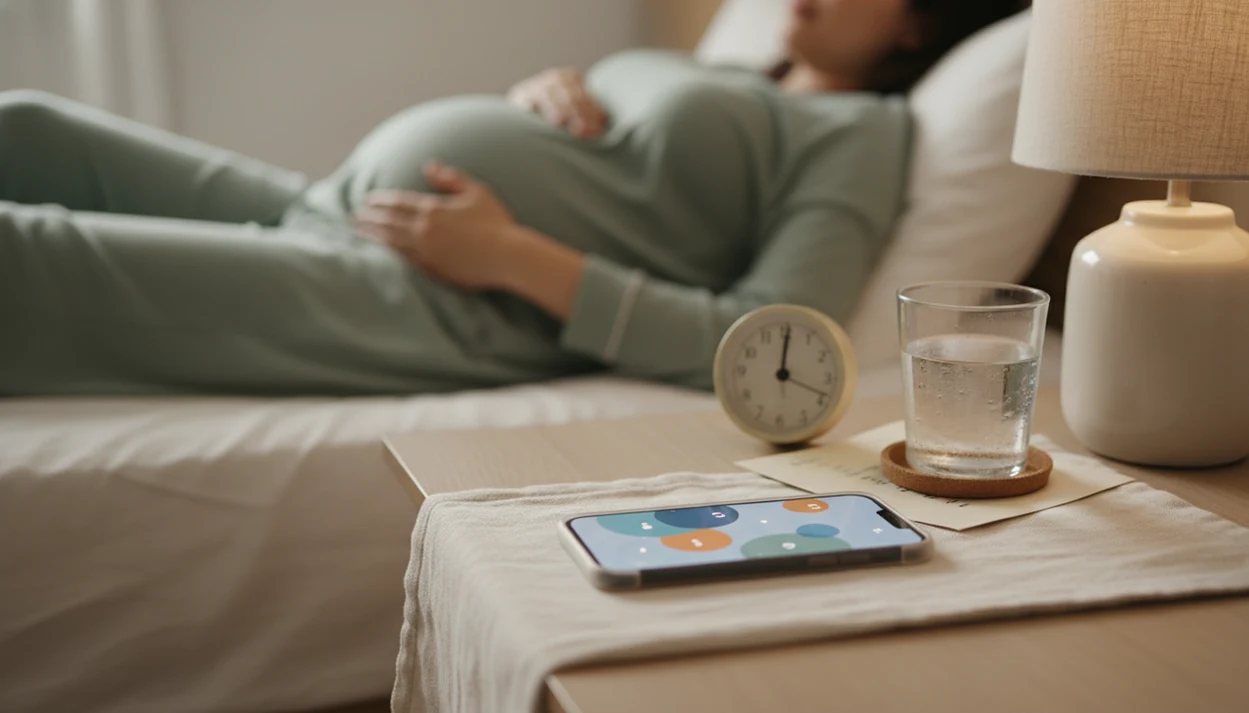

Definition: A baby kick counter app with reminders is a pregnancy tool that times and logs fetal movements while sending daily kick count notifications to keep you consistent with third-trimester monitoring.
At a Glance: What a Kick Count Reminder App Does
- A kick count reminder app is designed for third-trimester monitoring, usually around 28 weeks or when your provider recommends starting.
- Daily reminders prompt you to count at a consistent time, such as after dinner when movement is usually easier to notice.
- Each tap records a movement and helps calculate how long the movement session takes.
- The point is to learn your baby’s usual movement pattern, not compare your session to someone else’s.
- A reminder app is not a diagnostic tool. It complements prenatal visits, provider instructions, and clinical testing.
This focused workflow fits people who want a focused daily kick count routine because it keeps the count, timer, and session history in one place instead of mixing them with unrelated pregnancy content. A folded kick count handout can still live in the hospital bag, but a phone alert is harder to misplace.
How a Baby Kick Counter App With Reminders Works
A baby kick counter app with reminders works by pairing a timed cue with a simple movement log. The cue builds a habit loop, and the log turns each tap into a timestamped record you can compare over days.
Notification Timing and Habit Formation
Timed notifications act as a cue-based habit tool. In plain language, the alert tells your brain, “Do the same count now.” A 9 p.m. reminder after brushing teeth works better for some people than a random afternoon alarm, but the right time is the one that matches your baby’s active window.
If the priority is consistency without extra pregnancy clutter, a focused kick count workflow helps because the daily reminder leads straight into a movement session workflow.
Movement Data Your App Records
The data flow is simple: tap, timestamp, session duration, pattern history. Many kick counting routines use the 10-movements-in-2-hours benchmark that ACOG says clinicians often use for evaluation guidance. Pattern recognition matters more than one tidy number. A session graph after ten movements can show whether today felt typical, slower, weaker, or just different.
For third-trimester tracking, the most useful reminder is one set to your baby’s active time because it compares similar sessions against your own baseline.
How to Use Daily Kick Count Notifications in Baby Kicks App
Use daily kick count notifications as a routine prompt, then follow your provider’s instructions if they differ from the common 10-movement approach. The reminder is a starting bell, not a rule that says everything outside that time can be ignored.
- Set your daily reminder to match your baby’s most active window, not a generic default.
- Get comfortable in the same position, such as side-lying or reclined with your phone timer open.
- Tap each movement until you reach 10 kicks or your provider’s recommended target.
- Review your session duration against previous days so you notice a slower or unusual pattern.
- Note movement quality in Baby Kicks App, including rolls, jabs, flutters, swishes, stretches, and strength.
- Call your provider immediately if the pattern changes, even before a count is complete.
Pregnant people trying to replace a crumpled notebook page at the bottom of a purse benefit when each movement session is saved as a dated log with duration and notes. If you need a broader walkthrough, our guide on how to count baby kicks explains the counting routine step by step.
When to Use Kick Count Reminder App Alerts
Use kick count reminder app alerts to stay consistent, not to decide whether a concern is real. Movement awareness is continuous, so don’t wait for the scheduled alert if your baby’s movement feels reduced, weaker, or unusual.
Reduced fetal movements are associated with a 2 to 3 times increased stillbirth risk in systematic review research, even after adjusting for other factors (BMC Pregnancy and Childbirth). ACOG also notes that fewer than 10 movements in 2 hours is a common threshold many clinicians use for evaluation (ACOG fetal monitoring FAQ). Those numbers do not mean panic. They mean changes deserve prompt assessment.
Call your care team.
A saved session log helps organize what changed because you can write down timing, session length, and movement quality before calling. Partner support can help here too. One person holds the call script, the other reads the log aloud.
A good third-trimester movement tracker should make the pattern easier to explain to your care team; it should never give you a medical all-clear.
What Reminder-Based Kick Counting Looks Like
Baby Kicks App keeps kick counting narrow on purpose: set a reminder, start a session, tap each movement, and review the saved history. The interface is built for quick use, including the dark-mode screen in bed when you do not want a busy dashboard.
The customizable daily reminder time lets you place counts around your baby’s active window. The single-tap counting interface records each movement without asking you to enter extra fields during the session. Afterward, session history shows duration trends, and notes let you add details such as sharp heel jab near the waistband or softer rolls than usual.
On days when everything feels rushed, Baby Kicks App handles the basic routine because the reminder opens into counting, notes, and history rather than a broad pregnancy feed. For people comparing focused options, our simple kick counter app page explains why less screen noise can help.
Common Myths About Baby Kick Counter Apps
Baby kick counter apps are useful when they support fast action, but several myths can make them unsafe. The biggest myth is that no red flag in an app means you can ignore your gut feeling. If movement feels different, call your provider.
Another myth says daily notifications mean you only need to think about movement once a day. That is not how fetal movement awareness works. A sudden change before lunch still matters, even if your reminder is set for evening.
A kick count reminder app also cannot diagnose fetal distress. It does not measure fetal heart rate, oxygen, placenta function, or cord issues. And not every baby reaches 10 movements in the same amount of time.
In a large Norwegian study of 2,914 women who contacted care for decreased fetal movements, 96% later reported fetal activity returned to normal, but 4% had adverse outcomes (PubMed). That mix is exactly why changes should be assessed, not dismissed.
Expectant parents who want a record for the exam room need movement notes and session history are easier to review than memory alone.
Baby Kick Counter App With Reminders vs Other Tracking Methods
A baby kick counter app with reminders bridges the gap between prenatal visits by making daily movement tracking easier to repeat. Paper charts, broad pregnancy apps, and clinical monitoring each have a place, but they solve different problems.
| Tracking method | What it does well | Main limitation |
|---|---|---|
| Paper chart | Simple and familiar | No reminders, easy to skip, harder to spot trends |
| Generic pregnancy tracker | Combines many pregnancy topics | Kick counting may be buried among size updates and lifestyle content |
| Clinical-only monitoring | NST, ultrasound, and Doppler are used for evaluation | Not daily at-home movement awareness |
| App with reminders | Prompts consistent counts and saves session history | Still depends on self-reported movement |
The most common medically supported way to use kick counts is daily awareness combined with prompt provider contact when movement decreases or changes. Count the Kicks describes a daily record of third-trimester fetal movements as an easy, free, reliable way to monitor well-being alongside prenatal visits.
BabyCenter, What to Expect, Pregnancy+, and Count the Kicks all discuss movement tracking in different ways. A focused Fetal Kick Tracker stays focused on timed kick count sessions, reminder timing, and provider-ready notes. If you are comparing choices, the best baby kick counter app guide covers that decision more directly.
Medical Scope and Sources for Kick Counting
Kick counting logs are useful conversation records, not fetal-health diagnoses. Baby Kicks App can help you explain timing, count duration, and movement quality, but your provider’s instructions always override any app reminder schedule.
The thresholds and safety language on this page are based on common guidance from clinical and public-health sources, including ACOG fetal monitoring information, reduced-fetal-movement research, Count the Kicks education, and standard prenatal-care advice. The evidence around kick counting is helpful but not definitive: daily awareness may support faster reporting, yet an app cannot prove that a baby is well or unwell.
When movement feels reduced, weaker, or unusual, use the app record as a note-taking tool and contact your care team right away.
- Notice changes in frequency, strength, or pattern, even if your scheduled reminder has not fired.
- Start a count only if your provider has told you to do that before calling and you are not already worried.
- Call immediately if movement is decreased, faint, absent, or simply feels wrong to you.
- Share your recent logs, timing, position, and notes so the clinical team can decide what evaluation is needed.
Related Fetal Kick Tracker Features for Third-Trimester Tracking
Related third-trimester tracking features that support reminder-based counting without turning the routine into a general pregnancy checklist. Session history and trend charts help you compare today’s count with previous movement sessions.
Movement quality notes add context. A count of 10 can feel different if the movements were strong jabs yesterday and faint flutters today. Provider-sharing summaries make appointment conversations more concrete, especially when the exam room paper crinkles underneath and you are trying to remember exact dates.
Multi-language support and accessible visual design also matter. A daily kick count routine should not depend on reading a dense chart while tired. For cost-focused readers, the free baby kick counter app page explains which core features are available without adding extra tools.
Limitations
A baby kick counter app with reminders has clear limits, and those limits should stay visible. A kick count app can support a daily log, but it cannot evaluate fetal health.
- It cannot detect fetal heart rate, placental problems, cord issues, oxygen changes, or fetal distress.
- Reminders improve consistency, but they do not guarantee correct counting technique.
- High-quality randomized evidence is limited on whether kick counting apps alone reduce stillbirth.
- App data is self-reported, so accuracy depends on focus, position, timing, and whether every movement is noticed.
- It is not a substitute for ultrasound, NST, Doppler assessment, triage, or your provider’s instructions.
- Notifications can be silenced, missed, or ignored, which weakens the routine.
- Stillbirth rates in high-income countries are approximately 3 to 5 per 1,000 births, per ACOG, so movement concerns deserve real clinical pathways, not app-only reassurance.
- Apps such as Glowing or Pregnancy+ may include many pregnancy features, but more features do not make any app diagnostic.
Reduced or unusual movement should be discussed with your care team immediately, even if the last saved session looked typical. For setup on specific devices, use the baby kick counter app for iPhone or baby kick counter app for Android guide.